Posts

Showing posts with the label firewall

Remote Connect MYSQL server using php.
Image
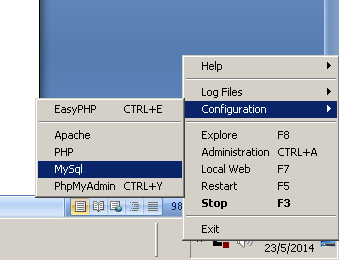
How to remote Connect MYSQL server using local php. 1. First, you access the mysql using phpmyadmin or shell command. mysql –u root –h your.mysql.server.address –p password ps: The argument behind –u is username, -h is the hostname/host address and argument behind –p is the password. So substitute the respective argument. 2. You need to create user with % as domain and grant her access to the database. The usr is the username you want to name it. The yourdb.* you should change to your database name. CREATE USER ‘usr’@’%’ IDENTIFIED BY ‘some_pass’; GRANT ALL PRIVILEGES on yourdb.* TO ‘usr’@’%’ WITH GRANT OPTION; 3. Then you now need to edit the my.cnf, you can easy find the mysql config file if you are using easyphp. 4. After open the file then you need to set the bind-address = your.mysql.server.address and comment out the skip-networking field. 5. Restart your mysql. 6. MySQL is using the port 3306 so if you have firewall you shou...

Firewalls

Image
What is firewalls? Firewalls can be a hardware or software that provide protection to computers and networks. It was a choke point of control and monitoring the computer and networks. It provide restriction on network services for authorized traffic is allowed to access the services. It also is a auditing and controlling access of the devices to use the network resources, which can implement alarms for abnormal behavior. Normally, Firewalls provide 2 basic functions: 1) Packet filtering - Allows or denies transfer of packets based on security policy rules. 2) Application Proxy gateway - Provides network services to users within the firewall Firewall Features Logs access (authorized/unauthorized) in and out of a network Establish a Virtual Private Network (VPN) link to another computer Secures host Within the network to prevent attackers intrusions Filter inappropriate content such as executable mail attachments  Securing Individual Users: Provides anti-virus ...